


Power, connection, and control. Beautifully combined.
Ships from U.S. | 30-day returns
Explore the Cable Module
NK7
If you have any questions, you are always welcome to contact us. We'll get back to you as soon as possible, within 24 hours on weekdays.
Shipping Information
We ship from our U.S. warehouse.
• Standard (2–7 business days)
Orders $0.00–$128.99 → $7.99
Orders $129.00 and up → Free
• Expedited (2–5 business days) → $11.99
• Express (1–3 business days) → $19.99
Customer Support
If you have any questions, please send an email to our support email address and we will respond within 48 hours.
Alternatively, you can contact us by opening the “Contact Us” page on the website.
Return & Refund
You can request our Return & Refund Service:
Unshipped Orders: Returns can be requested unconditionally. Please contact support@atomicvoyage.com to cancel your order.
Please log in to your Atomic Voyage account to cancel your order and the payment will be automatically refunded to your account.
Shipped Orders: Returns can be requested unconditionally within 30 days of the date of purchase.
The shipping fee can be removed due to product quality problems or wrong products sent, otherwise the customer has to pay the shipping fee.
Returned products should be confirmed that there is no human-caused damage affecting secondary sales, and the condition is new or nearly new, otherwise it will not be accepted.
Return & Refund Service will not be provided where:
It is requested beyond 30 days of the date of purchase.
A product sent to Atomic Voyage for Return & Refund Service does not include all original accessories, attachments, packaging or gift(s) included in original order, or any item is not in new or like-new condition, i.e. with cracks, dents or scratches.
Damage is caused to the product by improper installation, operation or unauthorized use or modification of the product.

Professional Themes
Five thoughtfully designed dashboards. From live power data to PC performance, time, and weather, find the view that works for you.
0105
Start with an image you love. Add widgets for time, weather, power, or PC performance, then choose the colors to make it yours.


The moments that matter.
Keep your favorite memories close.


A view you love.
Bring your favorite places into your everyday.


A look that's yours.
Make NK7 feel right at home in your space.

Power & Control
More ports.
More control.
Connect your devices, manage power, and take control with a simple flip.


Four metal switches.
Four independently controlled pairs of USB charging ports.
Power your devices on or off with a simple flip. No unplugging required.
Pull. Charge. Retract.
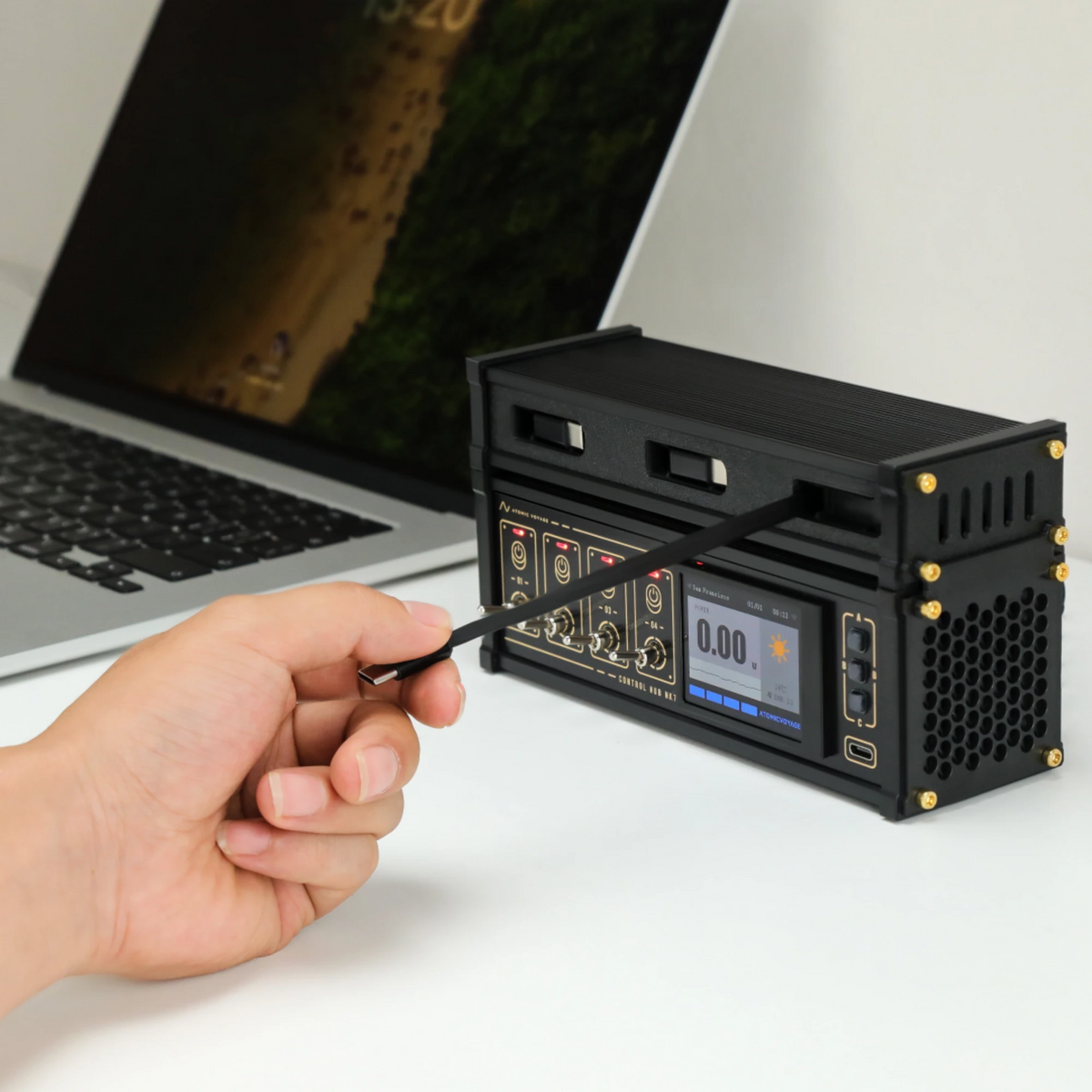
Three retractable USB-C charging cables, ready when you need them and neatly tucked away when you don't.
Open your browser.
Take control.

Included in the Box
USB-A to USB-C Cable

User Manual

24V Power Adapter

NK7
No. NK7 features 8 dedicated USB-A charging ports and 4 USB-A 2.0 data ports. The charging ports provide power only, while the data ports connect peripherals to your computer.
Each of the four metal switches controls a pair of USB-A charging ports. You can turn each pair on or off independently without unplugging your devices.
Yes. NK7 features a dedicated USB-C PD charging port on the front for convenient access.
Absolutely. Choose from 5 Professional Themes, or create your own using one of 5 My Theme slots. Upload a background image, add widgets for time, weather, power, or PC monitoring, and customize their colors.
No separate app is needed for the Web Control Center. Connect NK7 to your 2.4 GHz Wi-Fi network, then access its settings through a browser on the same local network.
NK6 is perfect for organizing and controlling desktop USB devices, including:
It’s designed as a desktop USB command center, helping keep your workspace organized and giving you individual control over each connected device.
NK7 can display CPU, GPU, and RAM information using our companion PC software. The software must be installed on a compatible computer for system monitoring to work.


